
Put the passport where your product already is
TrustRise connects to Shopify and WooCommerce, or embeds in any website with two lines of code. The badge appears on your product page, and the passport opens when a customer taps it.
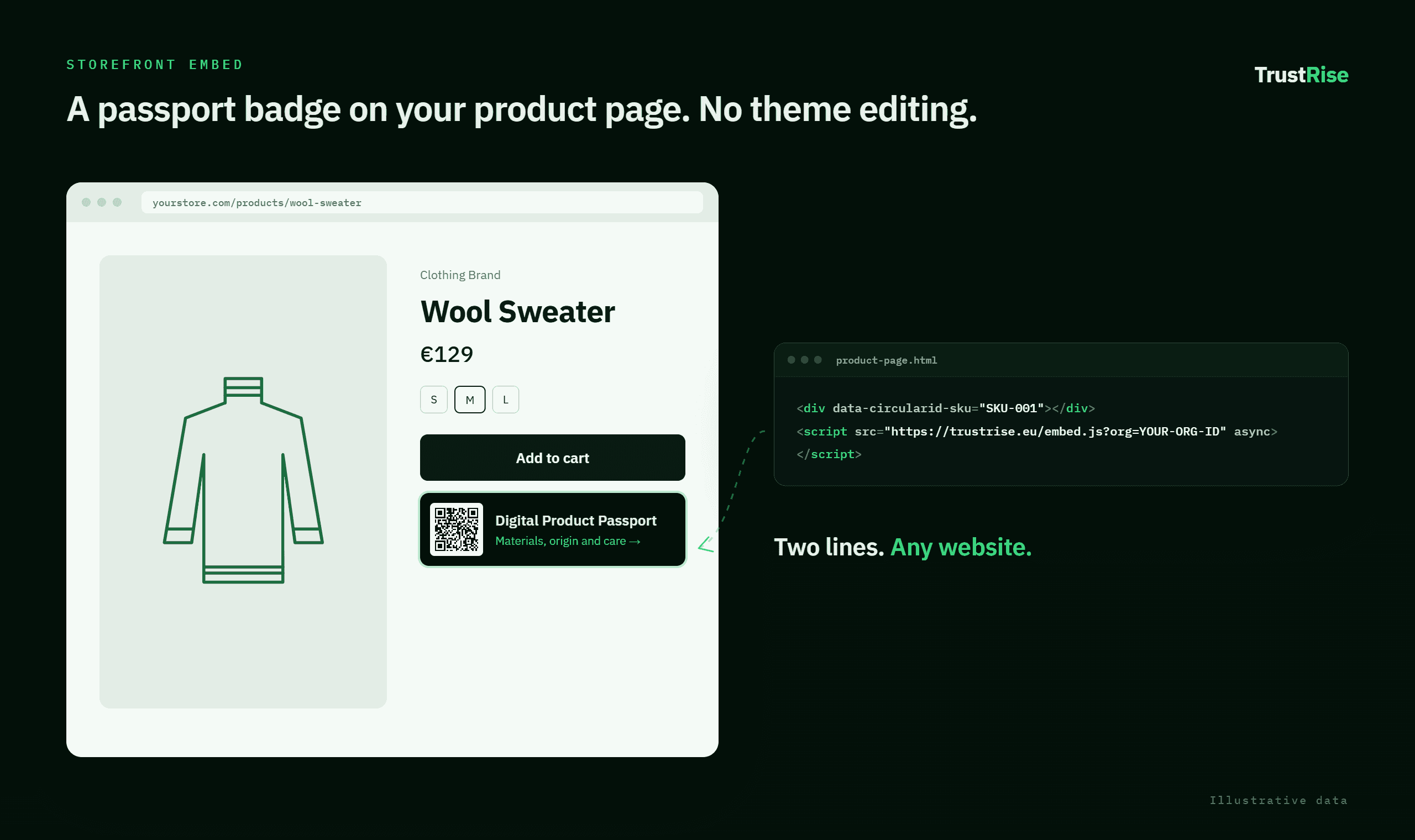
Two lines, any platform
The embed snippet works on any website — Squarespace, Webflow, a custom build, anything that lets you paste HTML. It finds the product by SKU or GTIN, fetches the published passport, and draws the badge.
If a product has no published passport yet, nothing renders. Your customer sees a clean product page, not an error.
Vanilla JavaScript, 4 KB, nothing to install.
Matches on whichever identifier your store already uses.
No passport, no badge, no broken element.
Same snippet on every platform, including the two below.
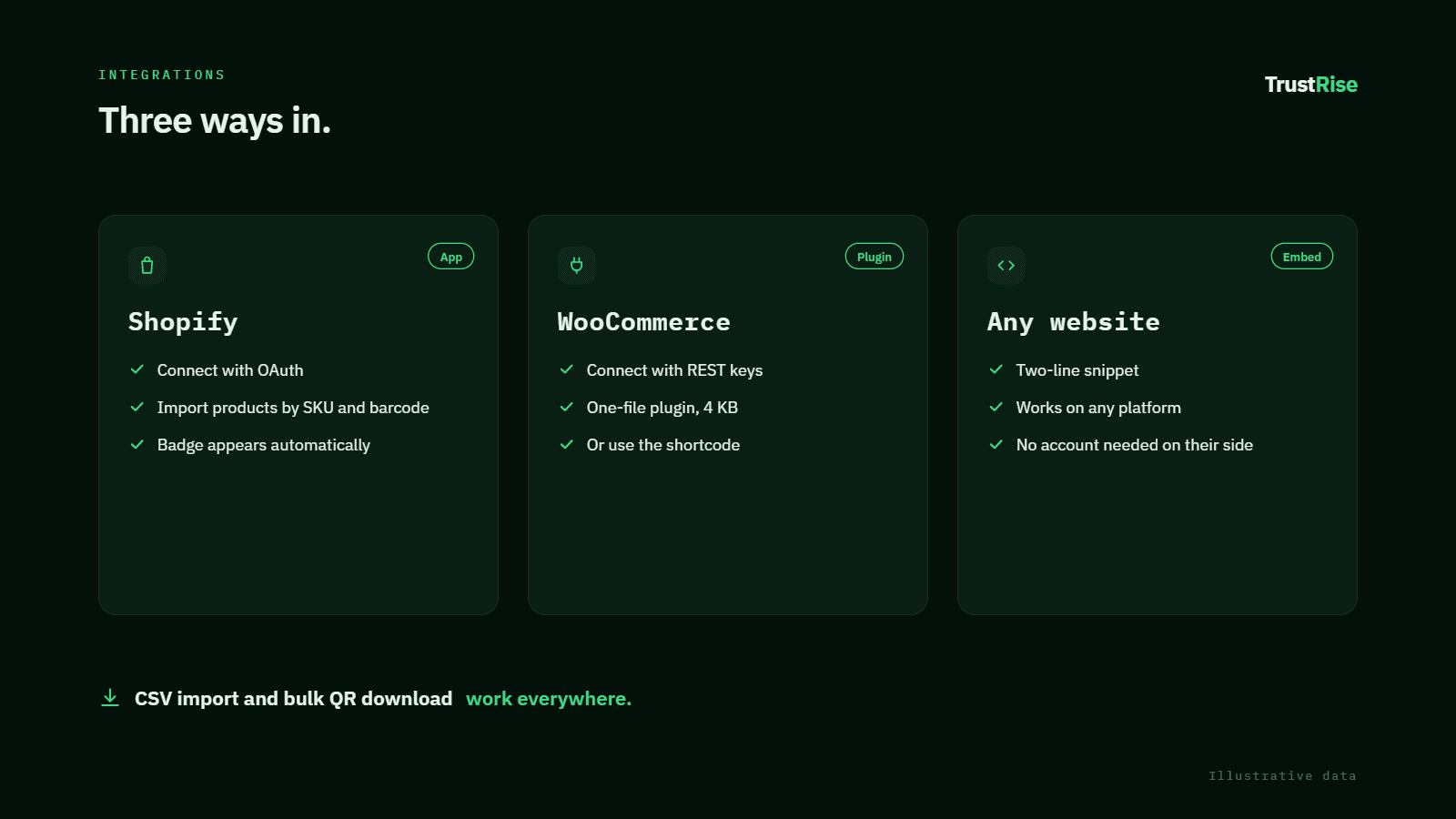
Shopify connects through OAuth. Import products by SKU and barcode, and the badge is injected into your storefront automatically — no theme file touched. Requires the TrustRise Shopify app to be configured for your store.
WooCommerce connects with REST API keys you generate in WordPress. A one-file plugin places the badge after the product summary, or use the [circularid_passport] shortcode to control the position yourself.
SKU, barcode, title, vendor, image, category and weight.
You choose when to import. Nothing syncs behind your back.
Create a Shopify product from a passport — always as a draft.
Import a catalogue and download every QR in one archive.
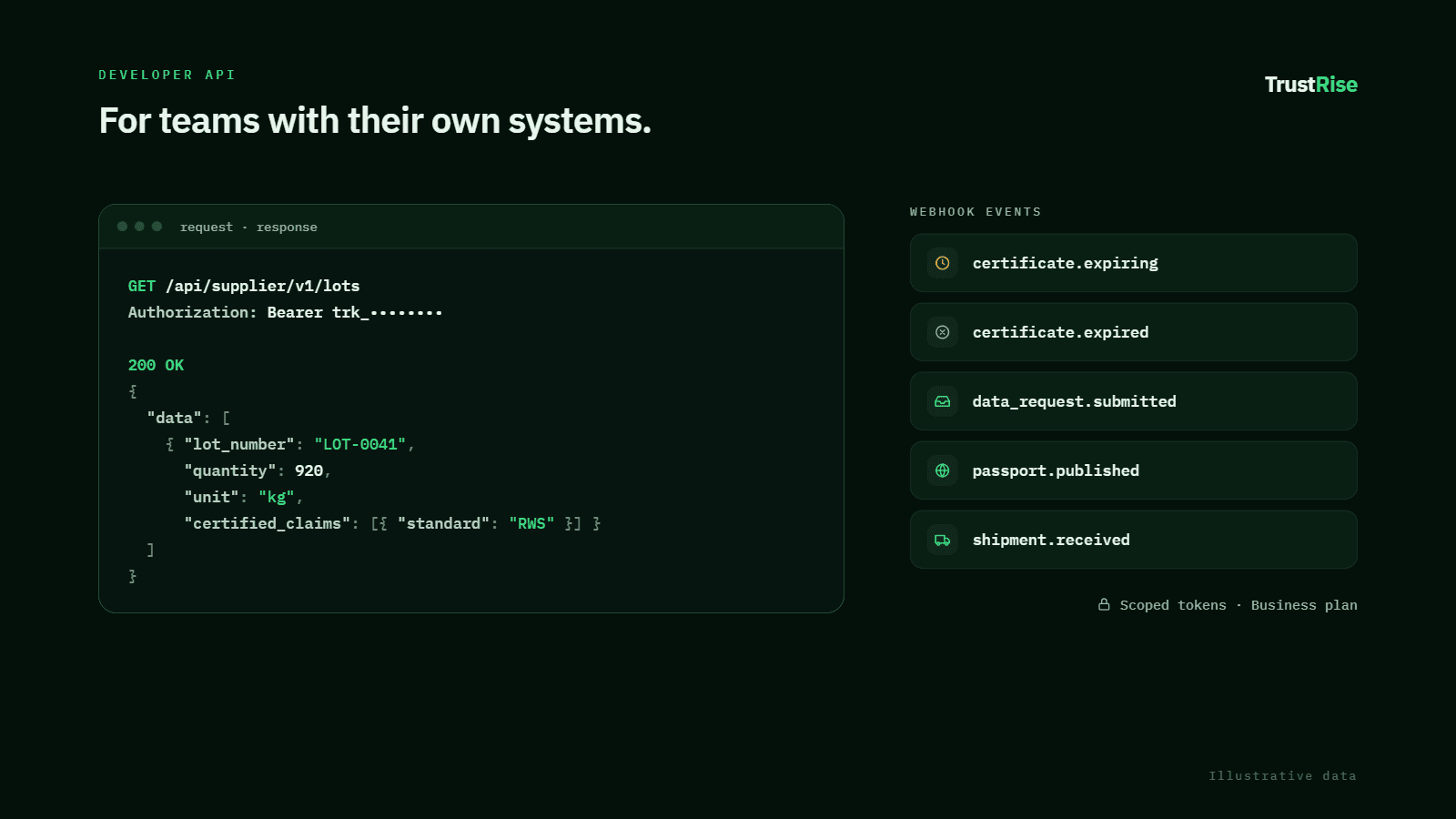
The REST API lets your own systems create and update passports, read lots and shipments, and pull evidence. Tokens are scoped to specific endpoints — a new endpoint is unreachable until someone deliberately adds it to the scope.
Webhooks fire on the events that matter: a certificate expiring, a supplier submitting, a passport publishing. Delivery is retried and every attempt is logged.
Each token names exactly what it may reach.
HMAC on every delivery, with retry and a delivery log.
API and webhooks start at Business.
Endpoint reference, examples and a changelog.
What does not sync automatically
Imports are pull-based. Changing a product in Shopify does not push the change here, and changing a passport here does not update your store listing.
This is deliberate for now — a passport is a regulated record, and an automatic overwrite from a store catalogue is the wrong default. Scheduled sync is on the roadmap.
Connect your store
Start free, import one product, and see the badge on your own storefront this afternoon.